Cloud Native / 2020.05.03
Secret And ConfigMap
1. Background
Up to now, perhaps you haven't had to pass any kind of configuration data to the apps. Because almost all apps require configuration, which shouldn't be baked into to the built app itself. This article shows two ways to pass the configuration data to the apps.
2. Secret
Secret is for the information you've passed to the containers is sensitive. K8s provides a separate object called a Secret. There are 4 ways to create the Secret.
- Through the --from-literal
>``shell >kubectl create secret generic mysecret --from-literal=username=admin --from-literal=password=123456 >``
- Through the --from-file, each file contains one item.
>``shell >echo -n admin > ./username >echo -n 123456 > ./password >kubectl create secret generic mysecret1 --from-file=./username --from-file=./password >``
- Through the --from-env-file. In the env.txt, every line key-value match one item.
>``shell >cat << EOF > env.txt >username=admin >password=123456 >EOF >kubectl create secret generic mysecret --from-env-file=env.txt >``
- Through the YAML file.
>``shell >apiVersion: v1 >kind: Secret >metadata: > name: mysecret >data: > username: YWRtaW4= > password: NTY3ODk= >``
The username and password is the sensitive information, then are encrypted. Then can use: "kubectl apply -f my secret.yaml" to create the secret.
After create the secret, then can use command to show the secret. Like this.

Also you can use describe command to show the details.
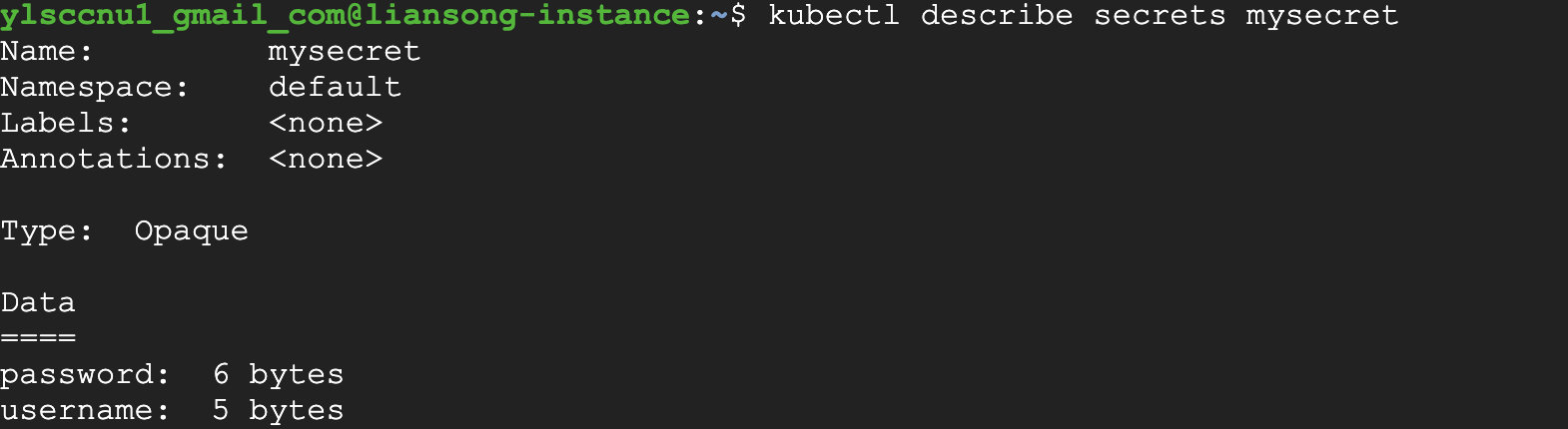
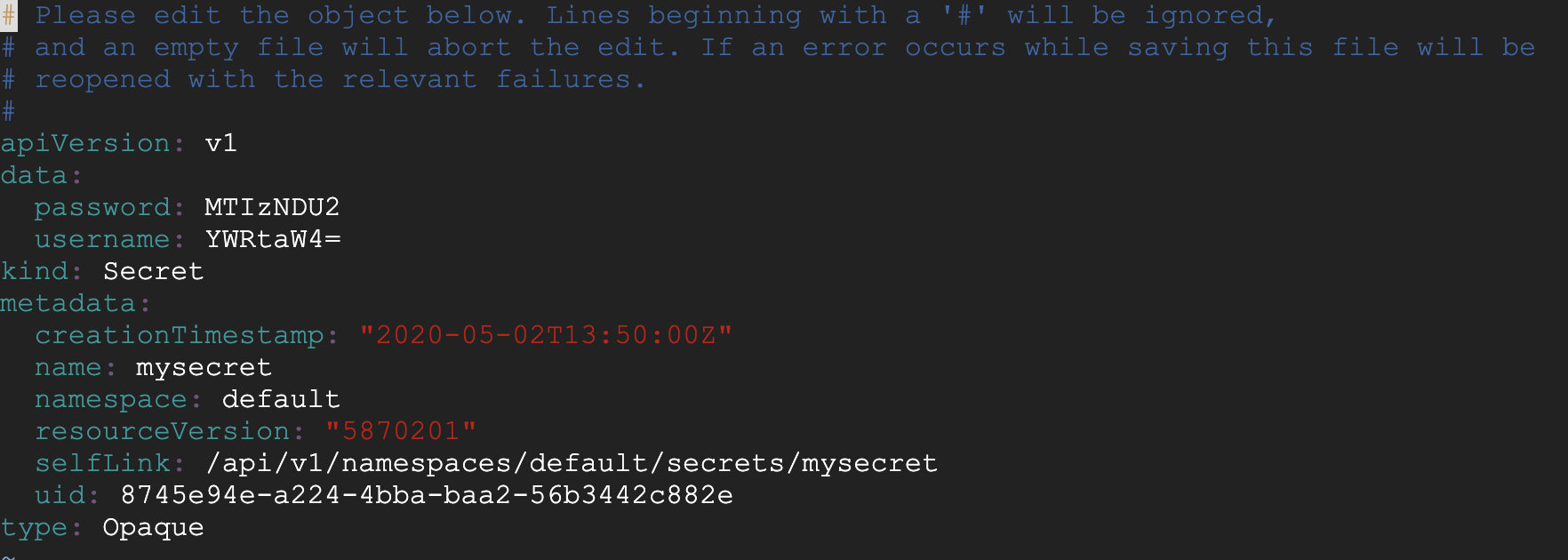
In this picture, you can see the password and username are encrypted.
3. How to use secret in the Pod
As we known, Secret is the separated object in the k8s, so pod would use secret through the volume. How to use, like below.
- Create the pod, in the pod, define the volume, also from the secret. (Volume)
>``shell >apiVersion: v1 >kind: Pod >metadata: > name: mypod >spec: > containers: > - name: mypod > image: busybox > args: > - /bin/sh > - -c > - sleep 10; touch /tmp/healthy; sleep 30000 > volumeMounts: > - name: foo > mountPath: "/etc/foo" > readOnly: true > volumes: > - name: foo > secret: > secretName: mysecret >``

From the Yaml file, we can see, mount the secret key value to the path: /etc/foo. Then we can view the secret.
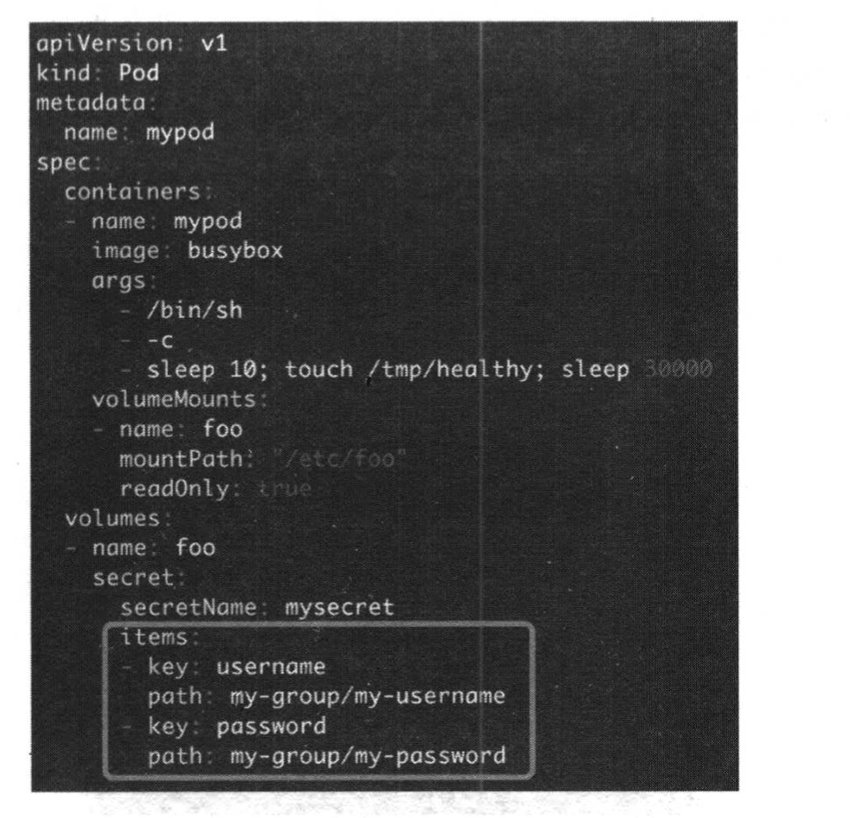
Also can save the data to the group path. In this way, we can save the secret encryptions.
- Create the Pod, define the env variable in the Pod. (environment)
>``shell >apiVersion: v1 >kind: Pod >metadata: > name: mypod-env >spec: > containers: > - name: mypod-env > image: busybox > args: > - /bin/sh > - -c > - sleep 10; touch /tmp/healthy; sleep 30000 > env: > - name: SECRET_USERNAME > valueFrom: > secretKeyRef: > name: mysecret > key: username > - name: SECRET_PASSWORD > valueFrom: > secretKeyRef: > name: mysecret > key: password >``
In the pod, define the key and value. Then can get the value through the environment variable.
4. ConfigMap
k8s allows separating configuration options into a separate object called a ConfigMap. It's different from the secret. It's used to the insensitive data. Let's show. It's the same as secret, there are 4 ways to create the ConfigMap.
- Through the --from-literal
>``shell >kubectl create configmap myconfigmap --from-literal=config1=xxx --from-literal=config2=yyy >``
- Through the --from-file
>``shell >echo -n xxx > ./config1 >echo -n yyy > ./config2 >kubectl create configmap myconfigmap2 --from-file=./config1 --from-file=./config2 >``
- Through the --from-evn-file
>``shell >cat << EOF > env.txt >config1=xxx >config2=yyy >EOF >kubectl create configmap myconfigmap3 --from-env-file=env.txt >``
- Through the YAML file
>``shell >apiVersion: v1 >kind: ConfigMap >metadata: > name: myconfigmap >data: > config1: xxx > config2: yyy >``
It's the same as secret. From this, can create the separate config object, then can be used in the Pod.
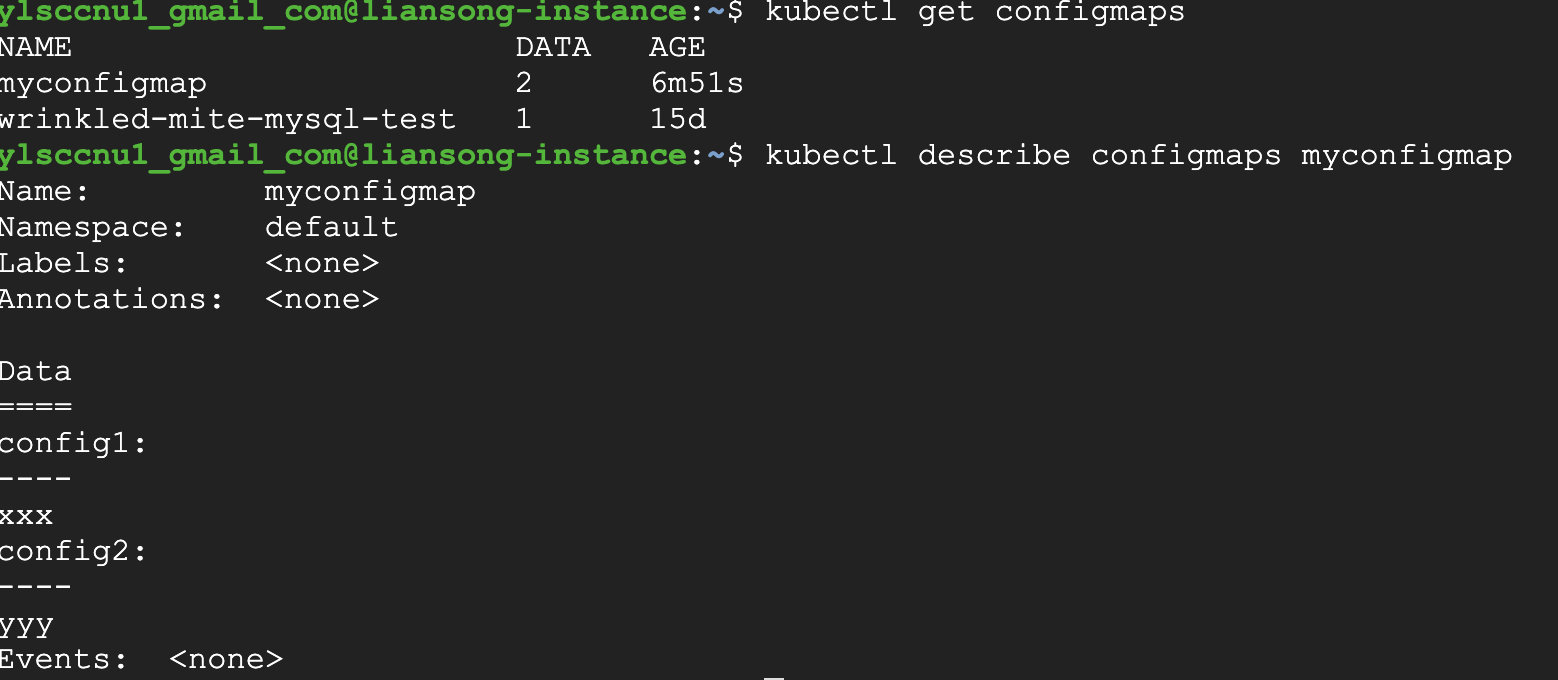
5. How to use configmap in the Pod
It's the same as secret. The configmap is like to the separate object, then Pod can use the object and get the key value. Below is one practice about configmap.
- Create the configmap.
>``shell >apiVersion: v1 >kind: ConfigMap >metadata: > name: myconfigmap5 >data: > logging.conf: | > class: logging.handlers.RotatingFileHandler > formatter: precise > level: INFO > filename: %hostname-%timestamp.log >``
- Create the Pod with the configmap.
>``shell >apiVersion: v1 >kind: Pod >metadata: > name: mypodconfig >spec: > containers: > - name: mypodconfig > image: busybox > args: > - /bin/sh > - -c > - sleep 10; touch /tmp/healthy; sleep 30000 > volumeMounts: > - name: foo > mountPath: "/etc/foo" > volumes: > - name: foo > configMap: > name: myconfigmap5 > items: > - key: logging.conf > path: myapp/logging.conf >``
In this Pod, define the mount path. Then execute the below command.
