Tools / 2020.04.11
Health Check
1. About K8S health check
Health check is the important feature of the k8s orchestrating. K8s can monitor those containers and automatically restart them if they fail. If the container's main process crashes, the k8s will restart the container. Also if your application has a bug that causes it to crash every once in a while, k8s will restart it automatically.There are two kinds of ways for health check. Liveness and Readiness. What's the difference? And how to use these?
- liveness probes
k8s can check if a container is still alive through liveness probes. You can specify a liveness probe for each container in the pod's specification. k8s will periodically execute the probe and restart the container if the probe fails.
The liveness health check configure file.
>``yaml >apiVersion: v1 >kind: Pod >metadata: > labels: > test: liveness > name: liveness >spec: > restartPolicy: OnFailure > containers: > - name: liveness > image: busybox > args: > - /bin/sh > - -c > - touch /tmp/healthy; sleep 30; rm -rf /tmp/healthy; sleep 60 > livenessProbe: > exec: > command: > - cat > - /tmp/healthy > initialDelaySeconds: 10 > periodSeconds: 5 >``
From this configure file, we define the livenessProbe. Every 5 seconds, the probe will detect and execute the command. If failed, will restart the pod again.
- The Readiness health check configure file.
>``yaml >apiVersion: v1 >kind: Pod >metadata: > labels: > test: readiness > name: readiness >spec: > restartPolicy: OnFailure > containers: > - name: readiness > image: busybox > args: > - /bin/sh > - -c > - touch /tmp/healthy; sleep 30; rm -rf /tmp/healthy; sleep 60 > readinessProbe: > exec: > command: > - cat > - /tmp/healthy > initialDelaySeconds: 10 > periodSeconds: 5 >``
The file is similar to liveness. Just changed the key value. For this one, when it was failure, will restart the pod one time, after that, set the readiness no use.
2. Health Check practice in the rolling update
How the health check used in the rolling update? Image one case, you update the application from V1 to V2, but in fact V2 application is wrong, you didn't use the checking method to verify this. How will you solve this problem? We can use health check.
- First, deploy 10 copies with v1.
>``yaml >apiVersion: apps/v1 >kind: Deployment >metadata: > name: app >spec: > replicas: 10 > selector: > matchLabels: > run: app > template: > metadata: > labels: > run: app > spec: > containers: > - name: app > image: busybox > args: > - /bin/sh > - -c > - sleep 10; touch /tmp/healthy; sleep 30000 > readinessProbe: > exec: > command: > - cat > - /tmp/healthy > initialDelaySeconds: 10 > periodSeconds: 5 >``
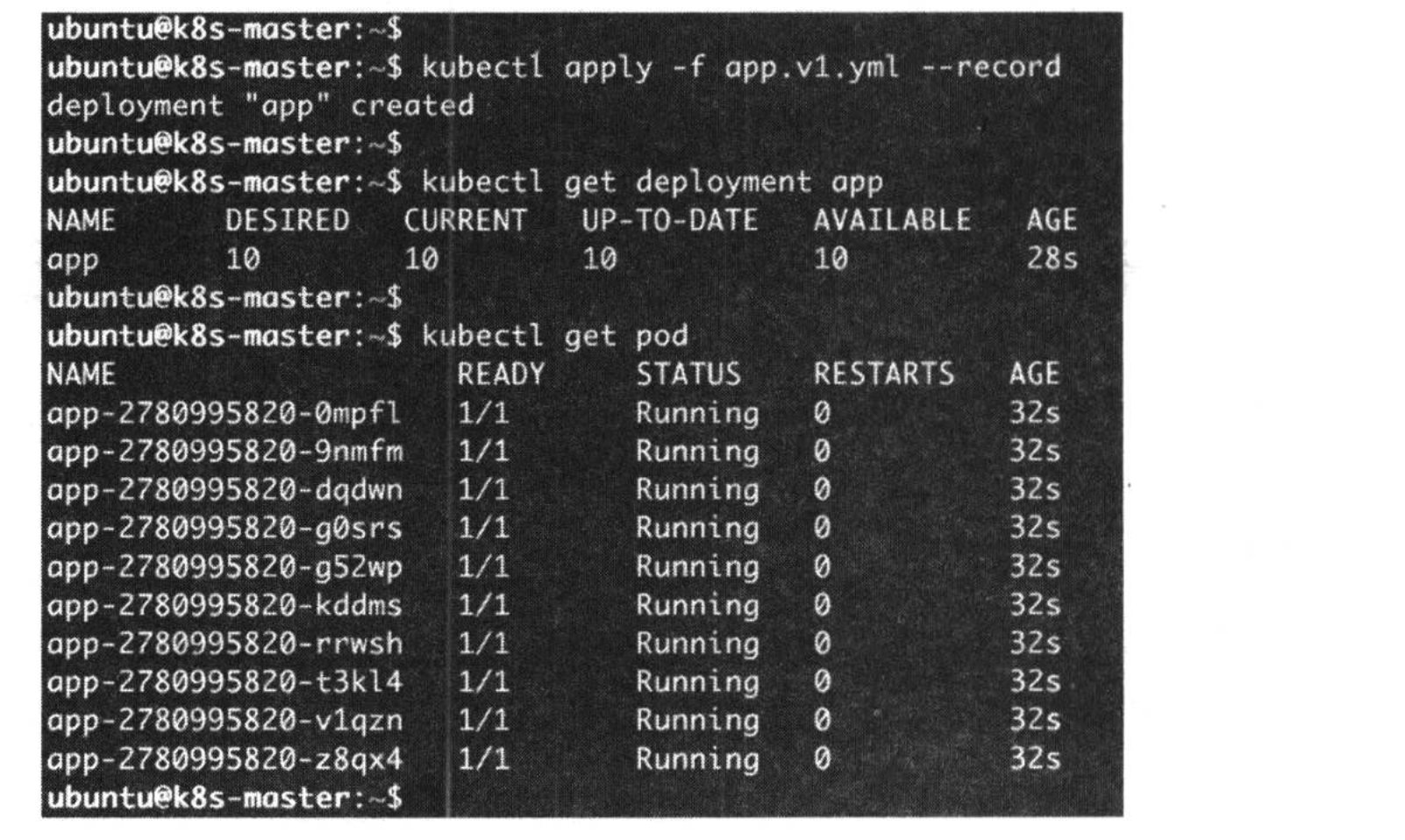
- Then rollling update the wrong application. It will trigger the probe to detect.
>``yaml >apiVersion: apps/v1 >kind: Deployment >metadata: > name: app >spec: > replicas: 10 > selector: > matchLabels: > run: app > template: > metadata: > labels: > run: app > spec: > containers: > - name: app > image: busybox > args: > - /bin/sh > - -c > - sleep 3000 > readinessProbe: > exec: > command: > - cat > - /tmp/healthy > initialDelaySeconds: 10 > periodSeconds: 5 >``
When use this configure file to deploy, will fail. Below is the result.
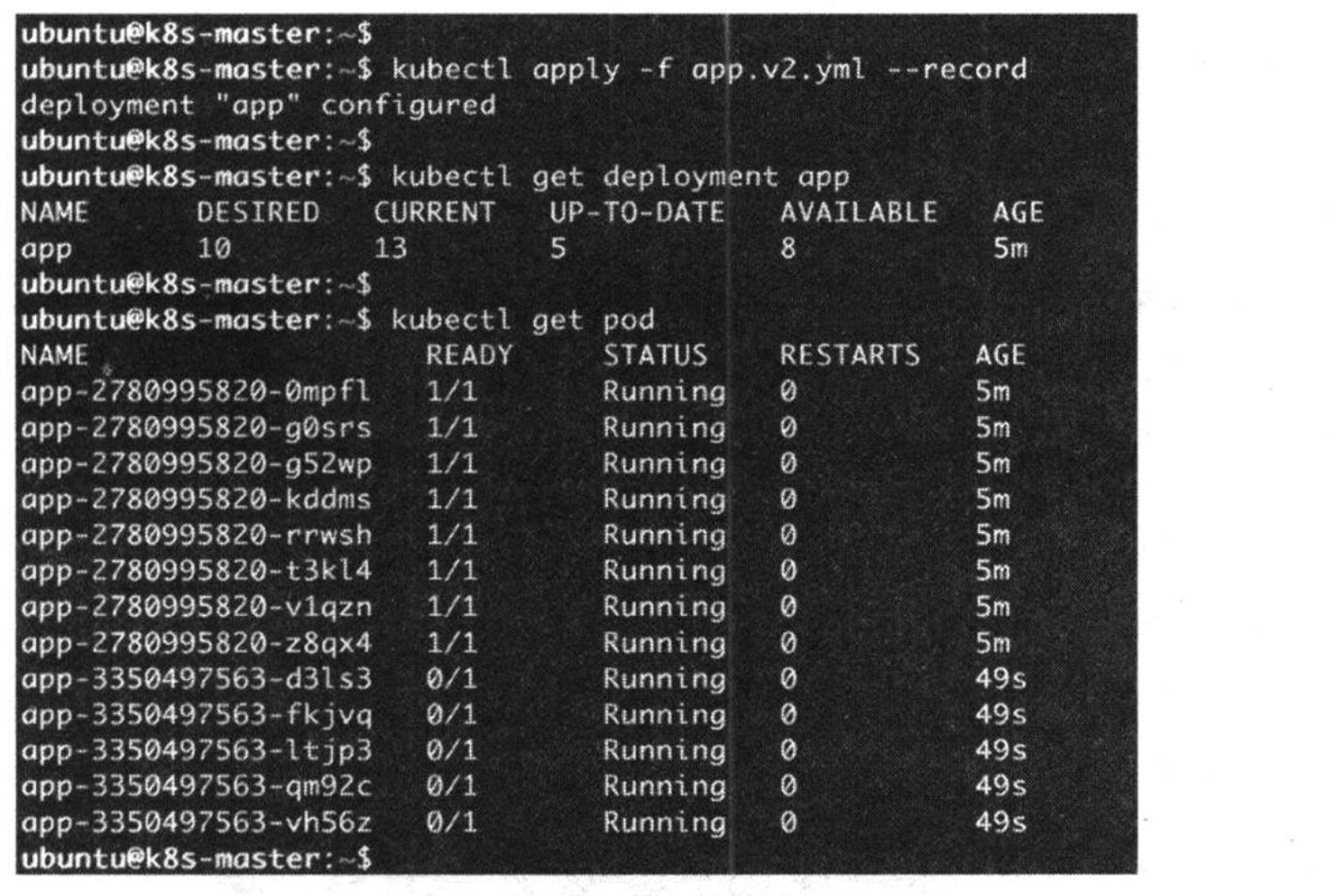
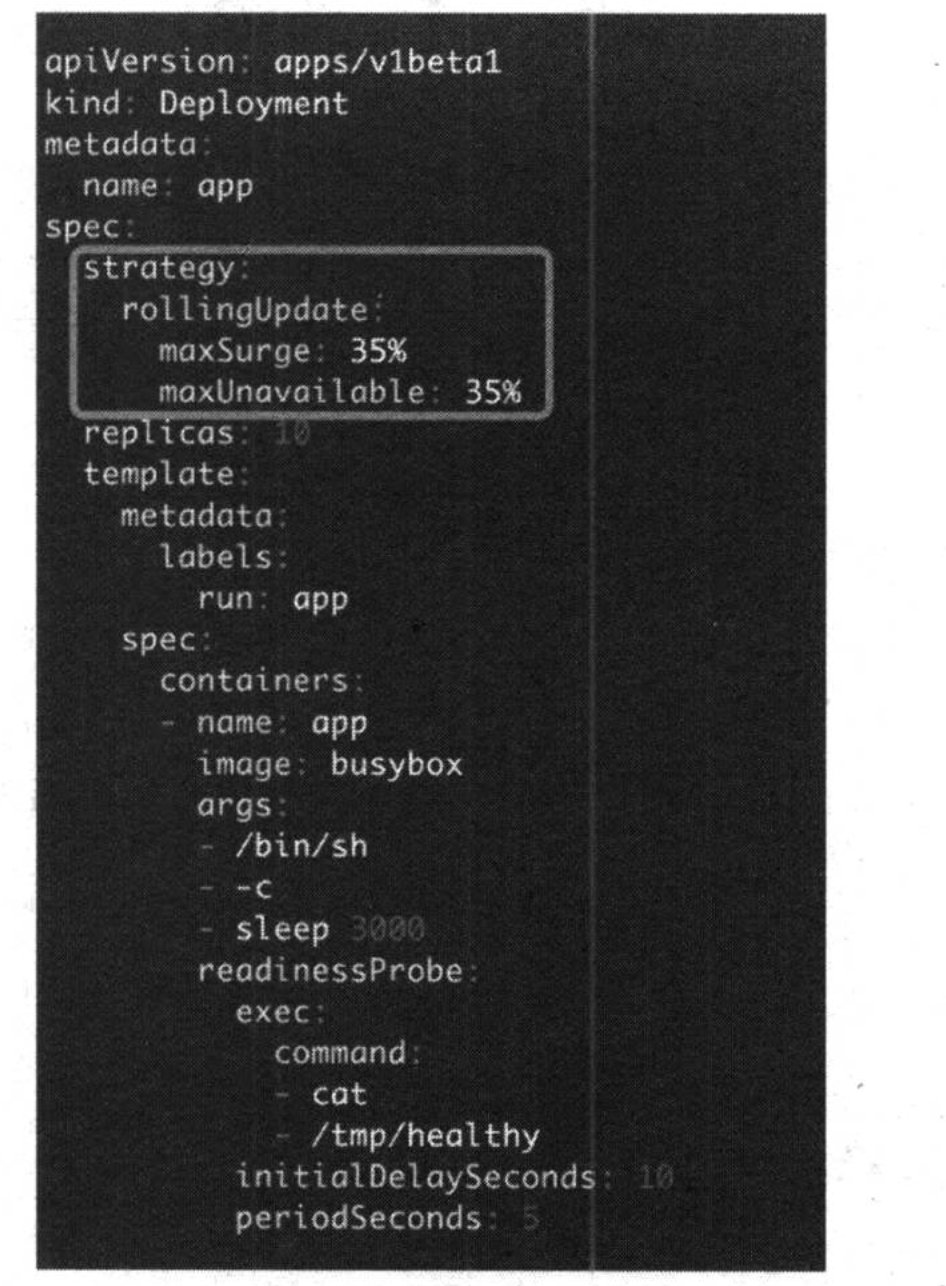
From the result, we can see the new replications can't pass the health check. But the health check also remain the most old replications. This is because of the maxSurge and maxUnavailable. Will use the default value if not define in the file.maxSurge and maxUnavailable are used to define the rolling update copies and failure copies.
3. Rolling update
This section is not for health check. Only the summary of the learning before. This section comprises with rolling update and rolling back. Rolling update is very easy, just run the command, will deploy the change automatically. We mainly discuss the rolling back.
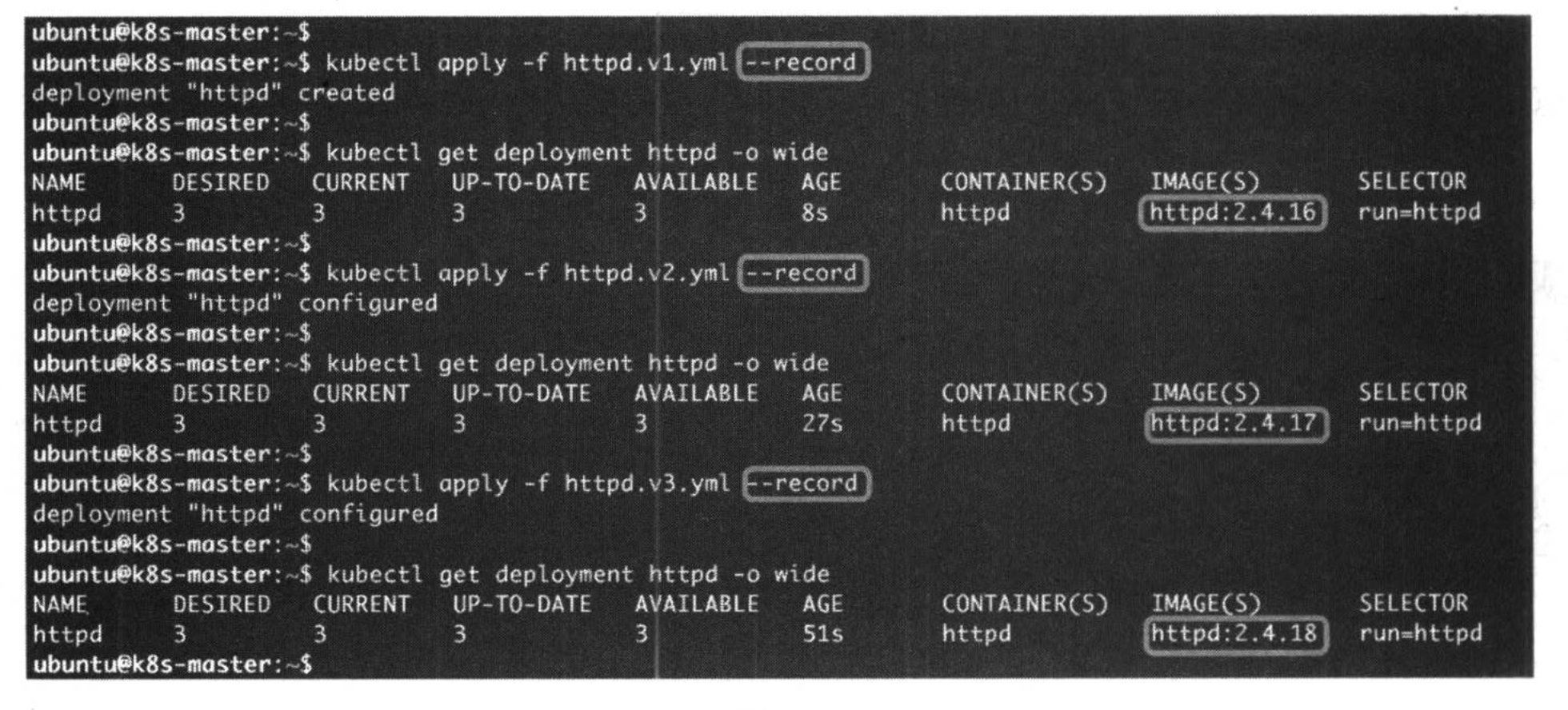
When you do the rolling update, you can record the revision. When you want to roll back, you can location this version.
- Kuebctl apply -f rollback.yaml --record
When add the record parameter, will record the reversion.
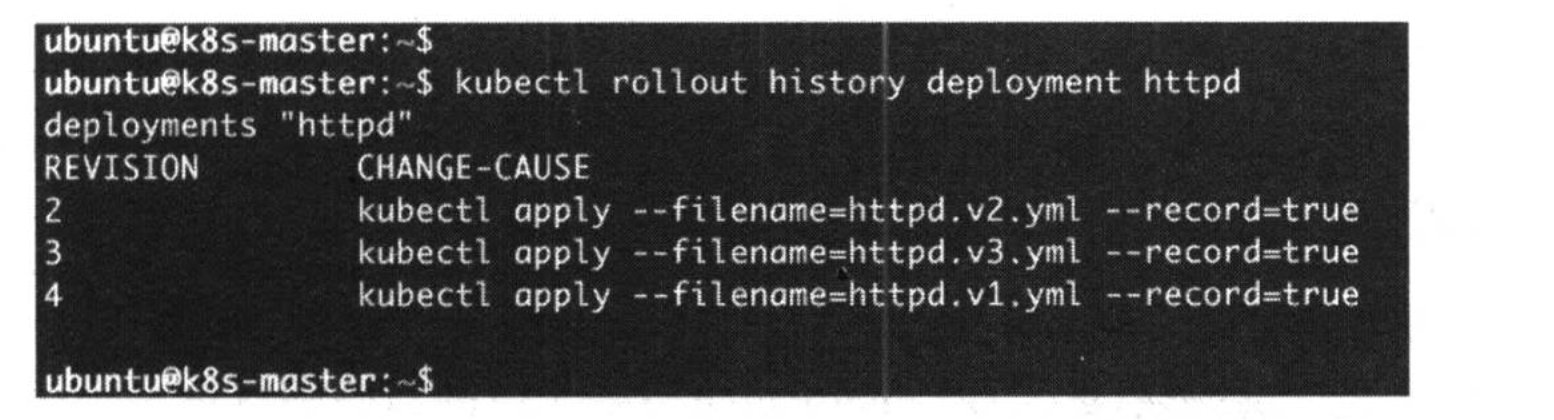
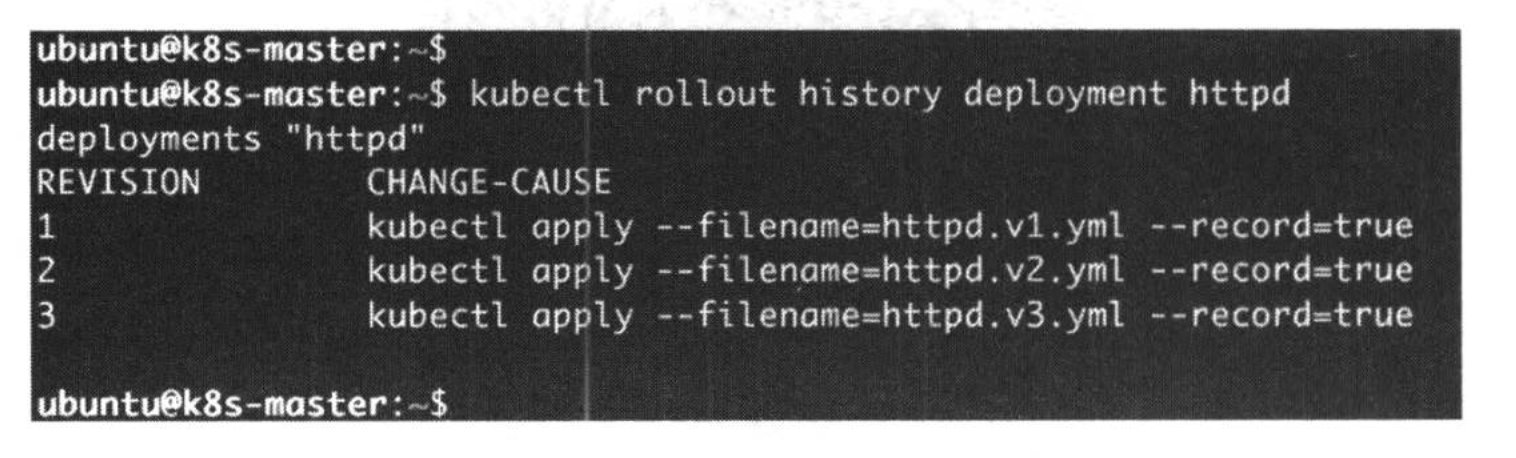
- Kubectl rollout history deployment http
This will show the all deployment history version.
- Kubectl rollout undo deployment http --to-revision=1
This will rollout the version.

Also, when you rollout successful, the version will change as your deployment.